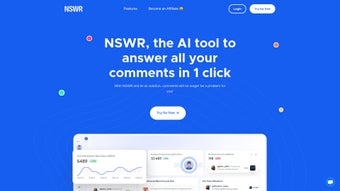

Download NSWR – AI Comment Management Tool for Social Media Engagement
Overview
NSWR is an AI‑driven web application that takes the headache out of comment management on social media platforms. Built for creators, marketers, and small‑to‑medium businesses, the tool automatically responds to incoming comments, filters out negativity, and even likes each comment to encourage further interaction. By ensuring that no comment—whether on a promotional post or an everyday update—goes unnoticed, NSWR helps maintain a lively community presence while freeing up valuable time for content creation and strategic planning.
The subscription‑based model offers a secure, cloud‑hosted environment that receives regular updates, keeping the AI engine tuned to the latest platform changes. Although NSWR lacks deep sentiment analysis and multi‑language customization, its core strength lies in delivering fast, reliable, and consistent engagement. The platform integrates smoothly with major social networks such as Facebook, Instagram, Twitter, and LinkedIn, making it a versatile addition to any digital marketing toolkit.
Whether you’re looking to boost visibility, improve customer relations, or simply reduce the manual effort of replying to dozens of comments daily, NSWR provides a streamlined solution that keeps your brand’s voice active and responsive.
Key Features that Drive Engagement
- Automated Comment Replies: AI generates context‑aware responses instantly, eliminating the need for manual typing.
- Negative Comment Filtering: Built‑in filters detect and hide hostile or spammy comments, protecting brand reputation.
- Universal Like Automation: Every comment receives a “like” from the NSWR bot, signaling acknowledgment and encouraging further discussion.
- Cross‑Platform Integration: Seamless connectivity with Facebook, Instagram, Twitter, LinkedIn, and emerging platforms via API keys.
- Scheduled Response Windows: Set specific hours for automated replies to align with your brand’s tone and timezone.
- Real‑Time Dashboard: Monitor comment volume, response rates, and engagement metrics from a single, intuitive interface.
- Secure Cloud Hosting: All data is encrypted in transit and at rest, complying with GDPR and CCPA standards.
- Subscription Flexibility: Choose from monthly, quarterly, or annual plans, each including automatic updates and priority support.
These features combine to create a powerful engagement engine that works around the clock. The automated reply system is trained on a large corpus of social media language, allowing it to adapt its tone based on the type of post—whether it’s a promotional announcement, a product launch, or a community question. The negative comment filter employs keyword detection and basic pattern matching to flag potentially harmful remarks, ensuring that your brand’s feed stays clean and professional.
While NSWR does not currently offer sentiment analysis beyond simple negativity detection, the speed and consistency of its responses more than compensate for this limitation for most users. The dashboard also provides a snapshot of daily activity, showing how many comments were received, how many were automatically liked, and how many required manual intervention—helpful data for measuring ROI on social media efforts. Overall, the feature set is designed to keep the conversation flowing without overwhelming the social media manager.
Installation, Setup, and Platform Compatibility
Step‑by‑Step Installation Guide
Getting started with NSWR is intentionally straightforward. First, visit the official NSWR website and click the “Start Free Trial” button. After providing a valid email address and creating a password, you’ll receive a verification link.
Once verified, you’ll be directed to the onboarding wizard. The wizard walks you through linking your social media accounts via OAuth; simply click the platform icons (Facebook, Instagram, Twitter, LinkedIn) and grant the necessary permissions. After authentication, you’ll be prompted to configure basic settings such as response language (English only for now), active hours, and the level of negative‑comment filtering.
Finally, confirm your subscription plan and enter payment details; a 14‑day free trial is available before any charges are applied.
Usage Tips for Maximum Efficiency
After installation, spend a few minutes customizing the reply templates. NSWR provides default templates for common scenarios (thank you, promotional CTA, FAQ), but you can edit them to reflect your brand voice. Use the “Preview” button to see how a generated reply will appear before it goes live.
It’s also wise to enable the “Manual Review” toggle during the first week; this sends each AI‑generated reply to a moderation queue where you can approve or edit before posting. Once you’re comfortable with the AI’s tone, switch the toggle off for full automation. Regularly check the real‑time dashboard to spot any spikes in comment volume or unusual activity, and adjust the filtering sensitivity if needed.
For businesses with multiple team members, NSWR supports role‑based access, allowing admins to delegate moderation duties without sharing login credentials.
Compatibility: As a cloud‑based SaaS solution, NSWR runs on any modern web browser (Chrome, Firefox, Edge, Safari) on Windows 10/11, macOS, Linux, as well as mobile browsers on Android and iOS. No local installation is required, and the service scales automatically to handle high comment volumes during viral campaigns.
Pros, Cons, and Frequently Asked Questions
Pros
- Instant, AI‑generated replies save countless hours of manual typing.
- Negative comment filtering protects brand reputation without extra effort.
- Automatic likes increase perceived engagement and encourage more comments.
- Cross‑platform integration consolidates comment management in one place.
- Secure, GDPR‑compliant cloud hosting ensures data privacy.
- Flexible subscription plans with a risk‑free trial.
Cons
- No advanced sentiment analysis beyond simple negativity detection.
- Lacks multi‑language support; currently English‑only.
- Customization of AI tone is limited to predefined templates.
- Deep analytics (e.g., sentiment trends over time) are not available.
- Requires an active internet connection; offline usage is not possible.
FAQ
Can NSWR manage comments on multiple accounts simultaneously?
Yes. After linking each social media profile, you can toggle between accounts from the dashboard and set individual response rules for each one.
Is there a free version of NSWR?
NSWR offers a 14‑day free trial with full feature access. After the trial, you must choose a paid subscription to continue using the service.
How does NSWR handle privacy and data protection?
All data is encrypted in transit (TLS) and at rest. The platform complies with GDPR, CCPA, and other major privacy regulations, and you can delete your data at any time from the account settings.
Can I customize the AI’s reply style?
Customization is limited to editing pre‑built response templates. While you cannot train the AI from scratch, adjusting the templates lets you align the tone with your brand voice.
What happens if NSWR incorrectly flags a comment as negative?
Incorrectly flagged comments are moved to a “Review” queue where you can manually restore them. The system learns from these corrections over time, reducing future false positives.
NSWR delivers on its promise of automating comment management without sacrificing engagement quality. The AI’s replies are surprisingly natural, and the automatic like feature gives a subtle boost to community interaction. While the lack of deep sentiment analysis may limit advanced marketers, the core functionality—filtering toxic comments, replying instantly, and handling multiple accounts—makes it a valuable addition for most creators and small businesses. The user-friendly dashboard and secure cloud infrastructure further enhance its appeal. Overall, it’s a solid, cost‑effective tool that saves time and helps keep a brand’s social presence vibrant.
Final Verdict and Call to Action
If you spend even a few minutes each day sifting through comments, NSWR is worth a serious look. Its AI‑powered automation removes the repetitive workload of replying, while the built‑in negative‑comment filter safeguards your brand’s image. The platform’s seamless integration with the major social networks means you can centralize your engagement strategy without juggling multiple tools.
Although power users may crave deeper sentiment analytics and multi‑language support, the current feature set delivers a strong ROI for most creators, marketers, and SMBs. The 14‑day free trial lets you test the system risk‑free, and the subscription pricing is competitive for the level of automation offered. In short, NSWR is a practical, secure, and easy‑to‑use solution that helps you stay present in the conversation, boost interaction rates, and focus on creating great content rather than moderating comments.
Ready to experience hassle‑free comment management? Download NSWR now, start your free trial, and watch your social media engagement climb.



.png)



